

Schools & coaching
Admissions, student registration, fee details and parent consent, with documents attached.
Online forms for India
Forms for school admissions
Build a form in minutes, share one link, and collect answers and files in one place.
Who it’s for
From a school’s admissions to a clinic’s intake slip, Rachna turns paper forms into a link people fill in on their phone.
Admissions, student registration, fee details and parent consent, with documents attached.
Patient intake before the visit: history, contact details and reports uploaded as photos or PDFs.
Registrations with batches, dates and choices, ready to export the night before.
Job applications with resumes, experience and expected salary, in one list to sort.
Customer feedback, ratings, orders and enquiries from one link you share on WhatsApp.
Inside the product
Build, collect and keep everything together, without stitching three tools.
Drag in 23 kinds of fields (text, phone, choices, ratings, dates, file and photo uploads), split long forms into pages, and set what's required. Every change saves as you go.
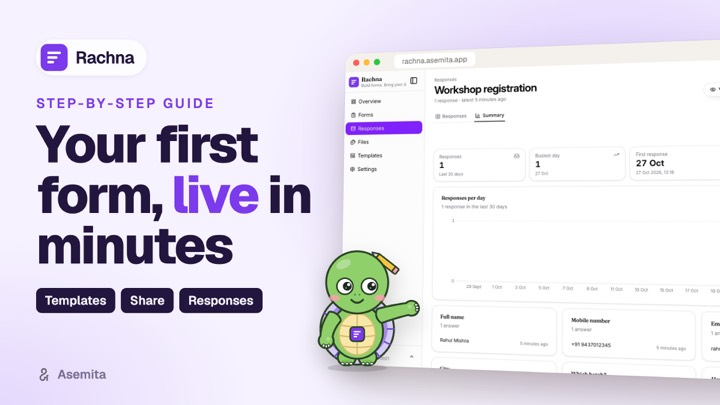
Responses arrive as a sortable table you can search, chart in Insights, and download as CSV or Excel whenever you need it.
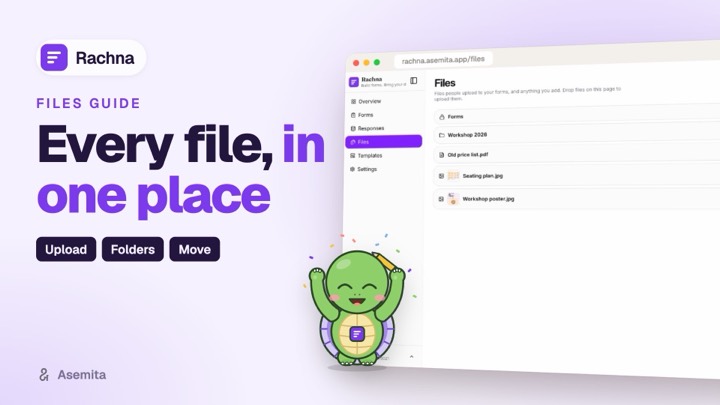
Photos, PDFs and documents people upload are filed for you, a folder per form and response. Open PDFs, Word and Excel files right in Rachna.
How it works
Start blank or from a template. Add fields, pages and rules.
Publish and send one link: WhatsApp, SMS, email or your website.
Answers and files arrive in Rachna, ready to read, sort and export.
Guides
Short video guides in English, हिन्दी and ଓଡ଼ିଆ on our YouTube channel.
Got questions?
Building forms, sharing them, and what happens to the answers.
Any form that collects answers: school admissions and student registration, patient intake, event sign-ups, job applications, customer feedback and surveys. Pick from 23 field types (text, phone, email, choices, ratings, dates, file and photo uploads and more) and split long forms into pages.
Publish the form and share its link on WhatsApp, SMS, email or your website. People open it on any phone or computer and fill it in without an account or an app.
Every answer lands in the form's responses, where you can read, sort and search them, see charts in Insights, and download them as CSV or Excel. Files people upload (photos, PDFs, documents) are kept in Files, in a folder for each form and response.
Yes. Edit the draft and publish again when you're ready; Rachna keeps each published version, so older answers stay readable and you can move an older response to the latest version.
Yes. Templates has ready-made forms: buy one once, use it for life, and share its link the same day.
Rachna runs on your Asemita account with one sign-in, two-step sign-in if you turn it on, and your data stored securely. You decide who gets your form's link, and you can delete responses and files whenever you choose.
Ready when you are
Sign in with your Asemita account, the same one you use for Daybook and Bhandar, and share a link in minutes.